Indian Passport, ID & Exam Photo Size and Background Rules
गाइड: भारतीय पासपोर्ट, पैन कार्ड व सरकारी परीक्षा फोटो साइज नियम
Uploading a photograph with the wrong aspect ratio, a shadowed bedroom wall, or an oversized file weight is one of the most common reasons Indian passport, PAN card, and competitive exam forms fail validation. This guide explains the two standard frame shapes used in India, how background checks work, and how to prepare both your portrait and signature cleanly in your browser.
Official Verification Disclaimer (Section 20 YMYL Policy):
PhotoBackground.in is an independent photo utility and is not affiliated with the Ministry of External Affairs (Passport Seva), Income Tax Department (PAN), UPSC, SSC, NTA, or IBPS. Because examination boards revise pixel dimensions, file-size limits, and date-on-photo rules between recruitment cycles, every specification row below summarizes official portal guidelines. Always verify the exact instructions in your official notification PDF before submitting.
Why Indian Portals Use Two Different Photo Shapes (2×2 Inch vs 3.5×4.5 cm)
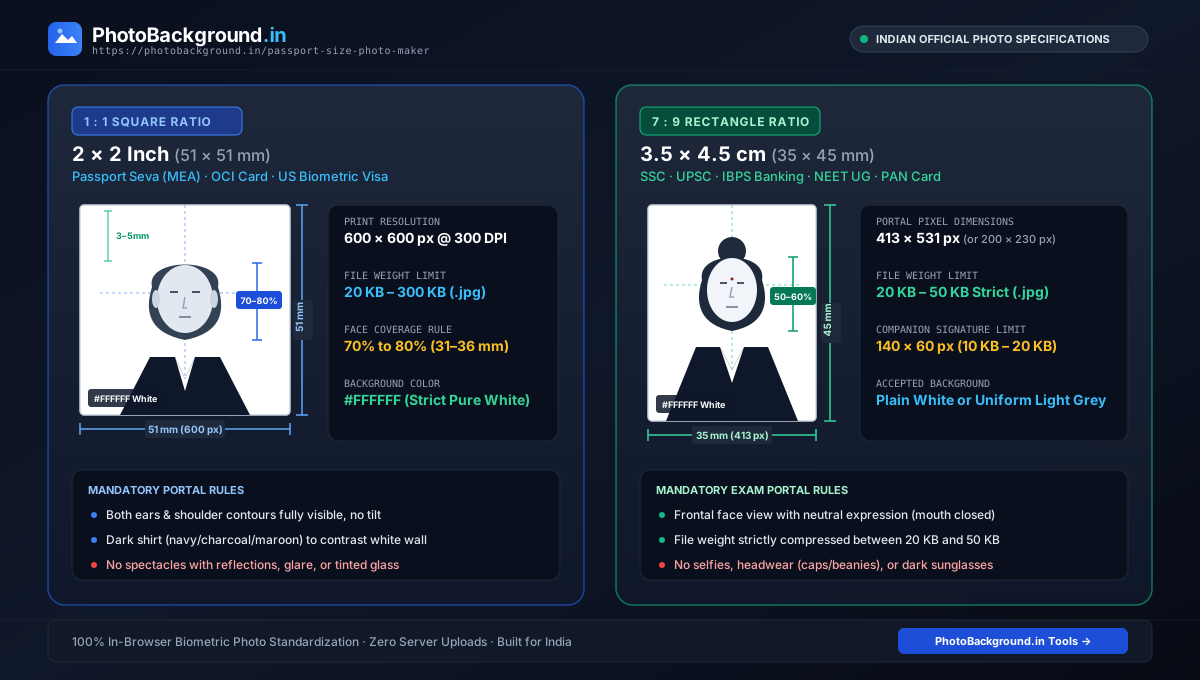
In casual conversation inside Indian photo studios, people call almost any small ID portrait a “passport size photo”. Technically, however, Indian government and recruitment portals split into two distinct aspect ratios:
- Square 2 × 2 Inch (51 × 51 mm / 1:1 Ratio): Used by Indian Passport Seva (MEA), OCI card portals, and US/global biometric visa systems. At 300 DPI, a 2×2 inch frame equals
600 × 600 pixels. - Rectangular 3.5 × 4.5 cm (35 × 45 mm / 7:9 Ratio): Used across almost all Indian competitive examinations (SSC, UPSC Civil Services, IBPS/SBI banking exams, NEET UG, JEE Main) as well as Schengen/UK visas. At 300 DPI, 3.5×4.5 cm equals roughly
413 × 531 pixels, though older portals often request scaled-down dimensions such as200 × 230 pixelsto keep the file under 50 KB.
Reference Table: Passport, PAN, SSC, UPSC & Banking Photo Specifications
Use this table as an orientation checklist, and always confirm the exact numbers in your current cycle's official notification PDF:
| Portal / Exam | Physical / Pixel Size | Typical KB Range | Background & Source Status |
|---|---|---|---|
| Passport Seva (India) | 51 × 51 mm (2 × 2 in) | Up to 200 KB–300 KB (.jpg) | Plain white (#FFFFFF) · (MEA Circular) |
| UPSC Online (OTR) | 350 × 350 px to 1000 × 1000 px | 20 KB – 300 KB (.jpg) | Plain white background · (UPSC Notice) |
| SSC (CGL / CHSL / MTS) | 3.5 cm × 4.5 cm (plus live webcam option) | 20 KB – 50 KB (.jpg) | Plain white/light background · (SSC Notice) |
| IBPS / SBI Banking Exams | 4.5 cm × 3.5 cm (200 × 230 px) | 20 KB – 50 KB (.jpg) | White or light backdrop · (IBPS Handout) |
| PAN Card (Protean / UTIITSL) | 3.5 cm × 2.5 cm (213 × 213 px @ 300 DPI) | Under 50 KB (.jpg) | Plain white backdrop · (Protean Guide) |
| Applicant Signature (All Exams) | 140 × 60 px (or 4.0 × 2.0 cm) | 10 KB – 20 KB (.jpg) | Unlined white paper · (Exam Notices) |
Five Background & Lighting Mistakes That Trigger Automated Rejection
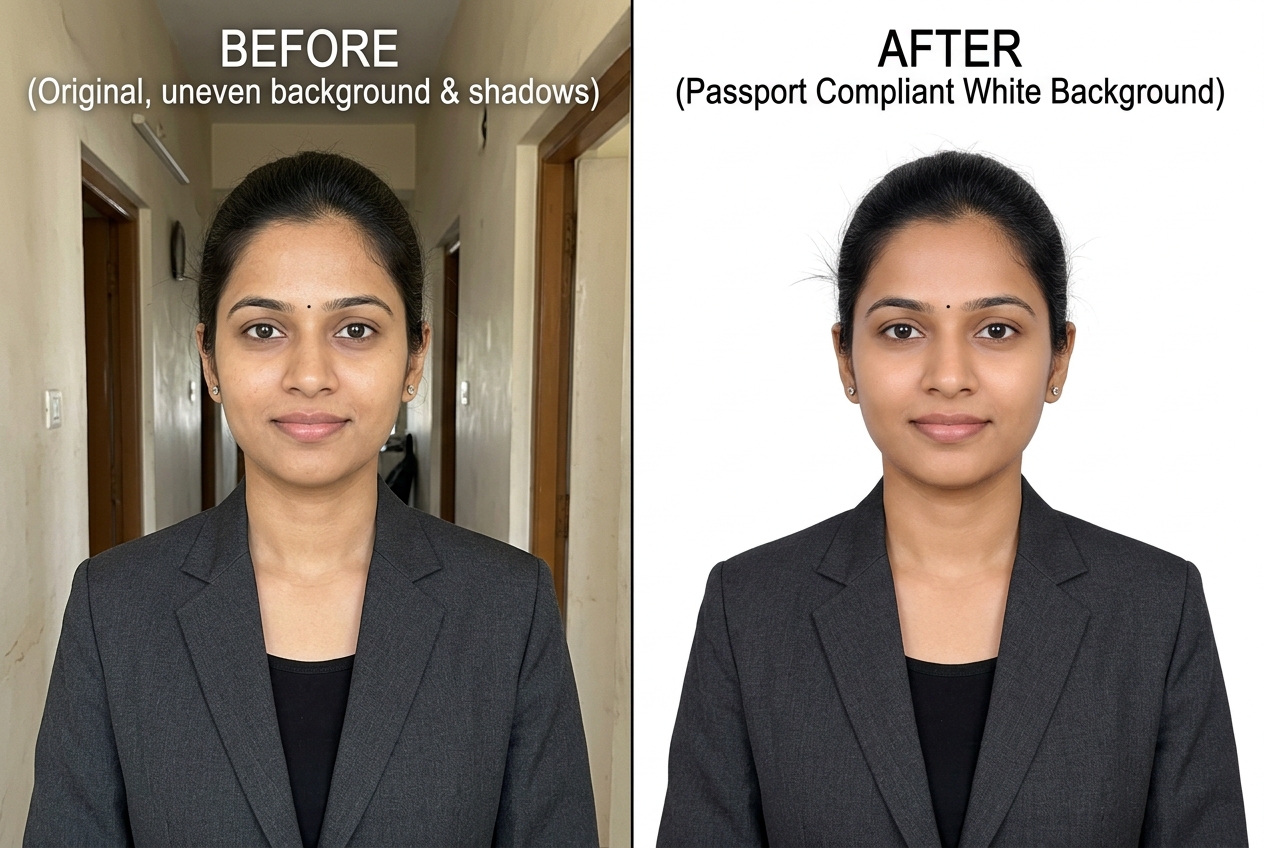
- Two-tone wall shadows behind the ears: Standing right against a home wall under a single tube-light throws a dark shadow behind one ear, failing the uniform-background check.
- Wearing a pure white shirt against a white backdrop: When your collar and shoulders match the
#FFFFFFbackground, your head appears to float without shoulders. Wear navy, charcoal, maroon, or dark green instead. - Wide-angle front-camera distortion: Holding a selfie camera 30 cm from your face enlarges the nose and hides both ears behind the cheeks. Ask someone to photograph you from 1.5 metres away at eye level.
- Spectacle glare or tinted lenses: Green anti-reflective coatings or frame shadows over the eye sockets routinely fail biometric checks.
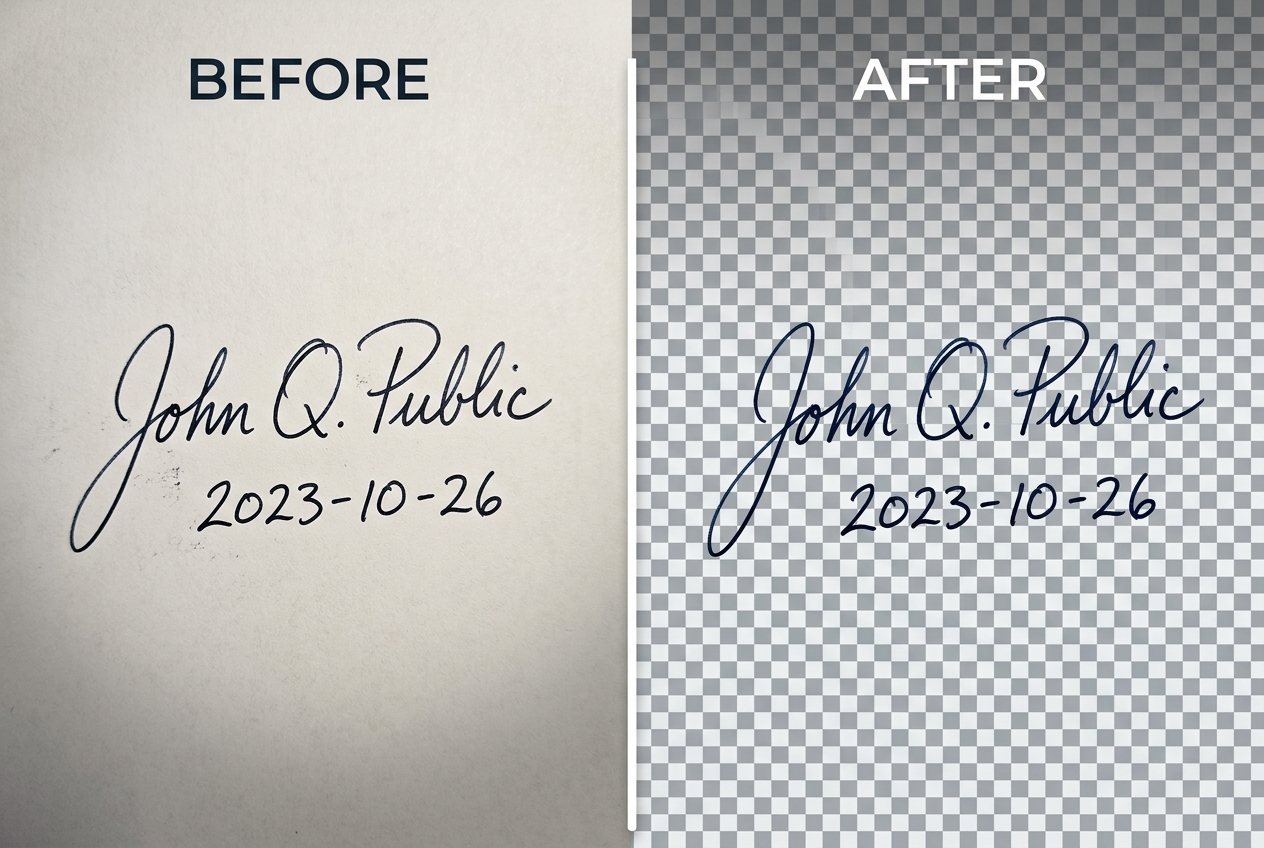
- Grey shadowed paper on the signature upload: Phone photos of white paper almost always look dull grey unless cleaned before upload.
How to Prepare Your Photo and Signature File in Your Browser
You can complete both background cleanup tasks locally on your phone or laptop without uploading your identity documents to any third-party server:
- For your candidate portrait, open our Passport Size Photo Maker or the White Background Photo tool to replace your bedroom wall with pure
#FFFFFFwhite and export a form-ready.jpg. - For your handwritten signature strip, open our Signature Background Remover to strip grey paper shadows and save either a white-background JPG for exam portals or a transparent PNG for PDF forms.
- Need calibrated solid colour plates or step-by-step lighting tips? Read our sibling tutorial on how to make a photo background pure white and browse our Plain Photo Backgrounds collection.
Related Tools, Collections, and Guides
Passport Size Photo Maker Tool
Convert your candidate portrait to a pure white or visa-blue background in your browser.
Signature Background Remover Tool
Clean grey paper shadows from handwritten signatures for SSC, UPSC, and IBPS uploads.
How to Make a Photo Background Pure White
Detailed lighting, collar contrast, and edge refinement guide for white backgrounds.
Frequently Asked Questions About Indian ID & Exam Photos (अक्सर पूछे जाने वाले सवाल)
Why do some Indian forms ask for 2×2 inch while others ask for 3.5×4.5 cm?
International civil aviation (ICAO) biometric passport standards and US/Indian passport portals use a square 2×2 inch (51×51 mm) frame so the face sits centered with wide shoulder margins. Domestic Indian recruitment boards (SSC, UPSC, IBPS, state PSCs) and PAN card applications grew out of physical stamp-sized paper boxes, which measure 3.5 cm wide by 4.5 cm tall (or 2.5×3.5 cm).
Does changing the DPI setting of a JPG change its pixel size on an online portal?
No. DPI (dots per inch) is only a print header instruction for physical paper printers. Online exam portals validate two things in the uploaded file: the exact width and height in pixels (for example, 200×230 px) and the file weight in kilobytes (for example, 20 KB to 50 KB).
Can I take my passport or exam photo with a smartphone at home?
Yes, provided another person holds the phone at eye level from 1.5 metres away (using 2× lens zoom rather than a wide-angle front selfie camera, which distorts nose and ear proportions) and you convert the wall behind you to a uniform pure white (#FFFFFF) background.
Why do exam portals reject photos taken with spectacles on?
Even anti-glare lenses pick up small green or white reflections from tube-lights and phone screens, which block automated eye-distance recognition algorithms. Remove spectacles completely before taking your application photo.
What are the typical signature image rules alongside the candidate photo?
Most Indian portals require the applicant to sign in black or dark-blue ink on unlined white paper in running handwriting (not block capitals), cropped to a horizontal rectangle around 140×60 pixels and 10 KB–20 KB in size.