How to Remove the Background in a Photo for Clean Transparent Cutouts
ट्यूटोरियल: फोटो से बैकग्राउंड कैसे हटाएं (ट्रांसपेरेंट PNG कटआउट)
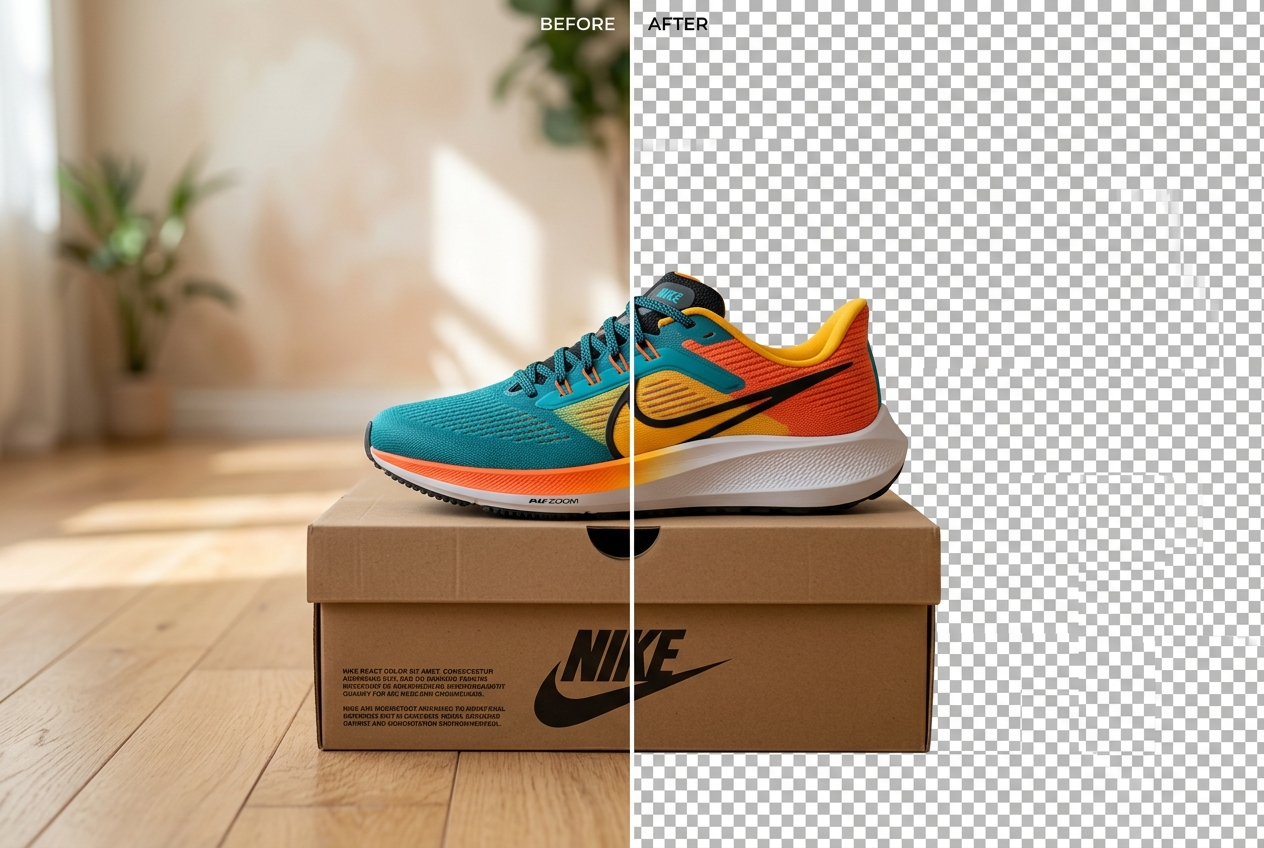
To remove the background in a photo and keep the surrounding area transparent, run the image through an alpha-channel segmentation tool and export the result as a 32-bit PNG (RGBA) file rather than a JPEG. This isolates your portrait, logo, or product cutout so you can layer it onto Canva flyers, YouTube thumbnails, or catalogue templates with zero rectangular border.
Transparent PNG vs White JPG: Which File Format Do You Actually Need?
Before you remove a photo background, decide where the finished image will be used. People often say “remove the background” for two completely different tasks:
- You need a Transparent PNG (RGBA) when: You plan to place the cutout on top of another design—such as a YouTube thumbnail, a wedding invitation card, a school project slide, or a custom backdrop from our HD Photo Backgrounds library.
- You need a Solid White JPG (#FFFFFF) when: You are uploading the photo directly to an Indian passport, PAN, SSC, UPSC, or IBPS portal, or submitting a main product listing to Amazon India or Flipkart. Government portals reject transparent PNGs; follow our guide on how to make a photo background pure white for those uploads.
Step-by-Step: Removing a Photo Background Locally in Your Browser
Use our Photo Background Remover to strip away backgrounds on your phone or laptop without uploading personal photos to any cloud server:
- Step 1: Select your JPG, PNG, or WebP file
Tap Choose Photo in the workspace above the fold. The tool validates the file format and size (up to 20 MB) locally in memory.
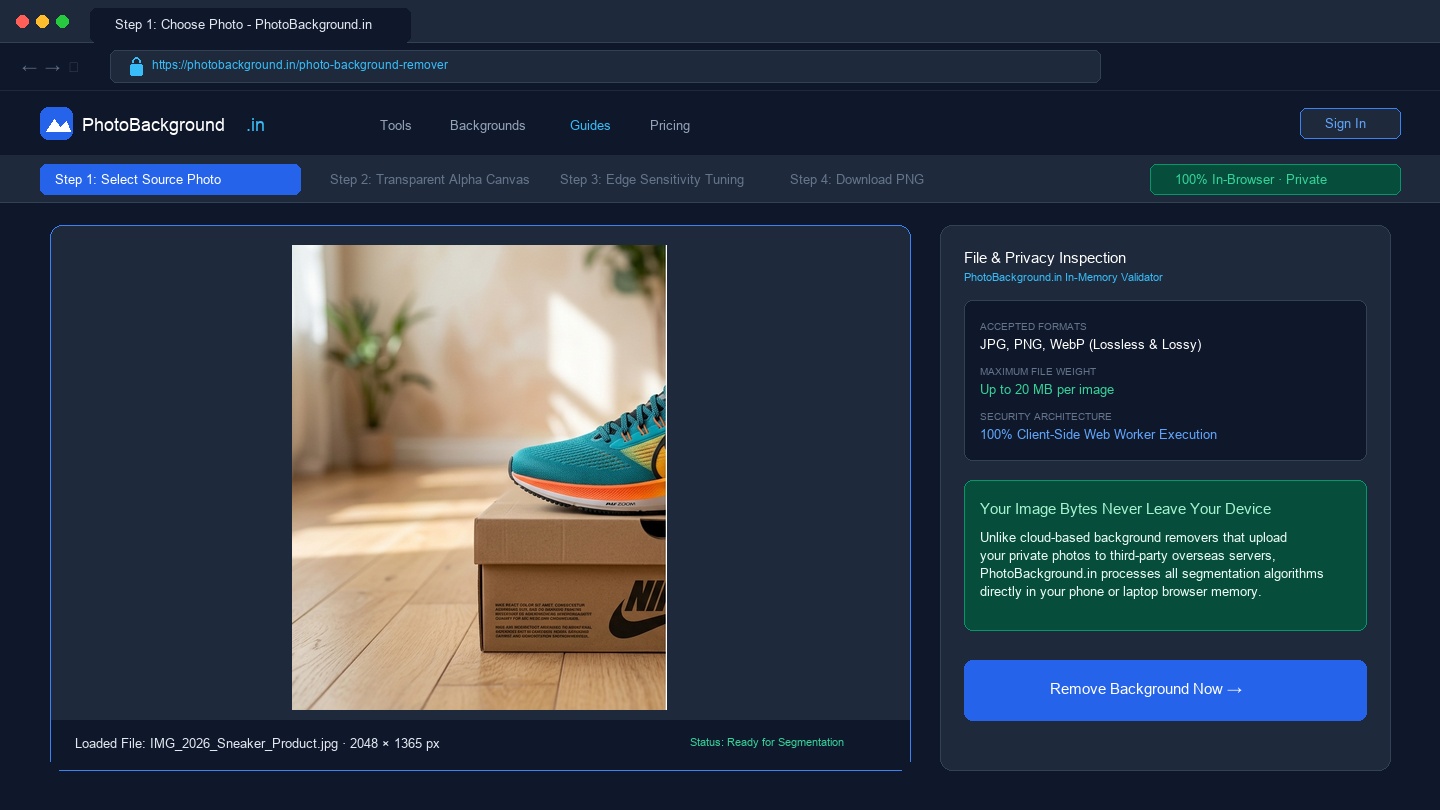
Figure 1: PhotoBackground.in file selector with client-side Web Worker validation and zero cloud uploads. - Step 2: Inspect the cutout over the transparency checkerboard
The tool defaults to the Transparent tab, displaying your isolated subject over a grey-and-white checkerboard. Use the Hold / Toggle to Compare Original button beneath the canvas to check whether any shoe tips, fingers, or product handles were clipped.
- Step 3: Refine the boundary with Edge Cutout Sensitivity
If the original wall was very close in colour to the subject's shirt or tabletop product, drag the Edge Cutout Sensitivity slider between `20` and `85`. Lower numbers keep more of the subject's subtle shadow edge; higher numbers cut tighter into the perimeter to remove wall colour spill.
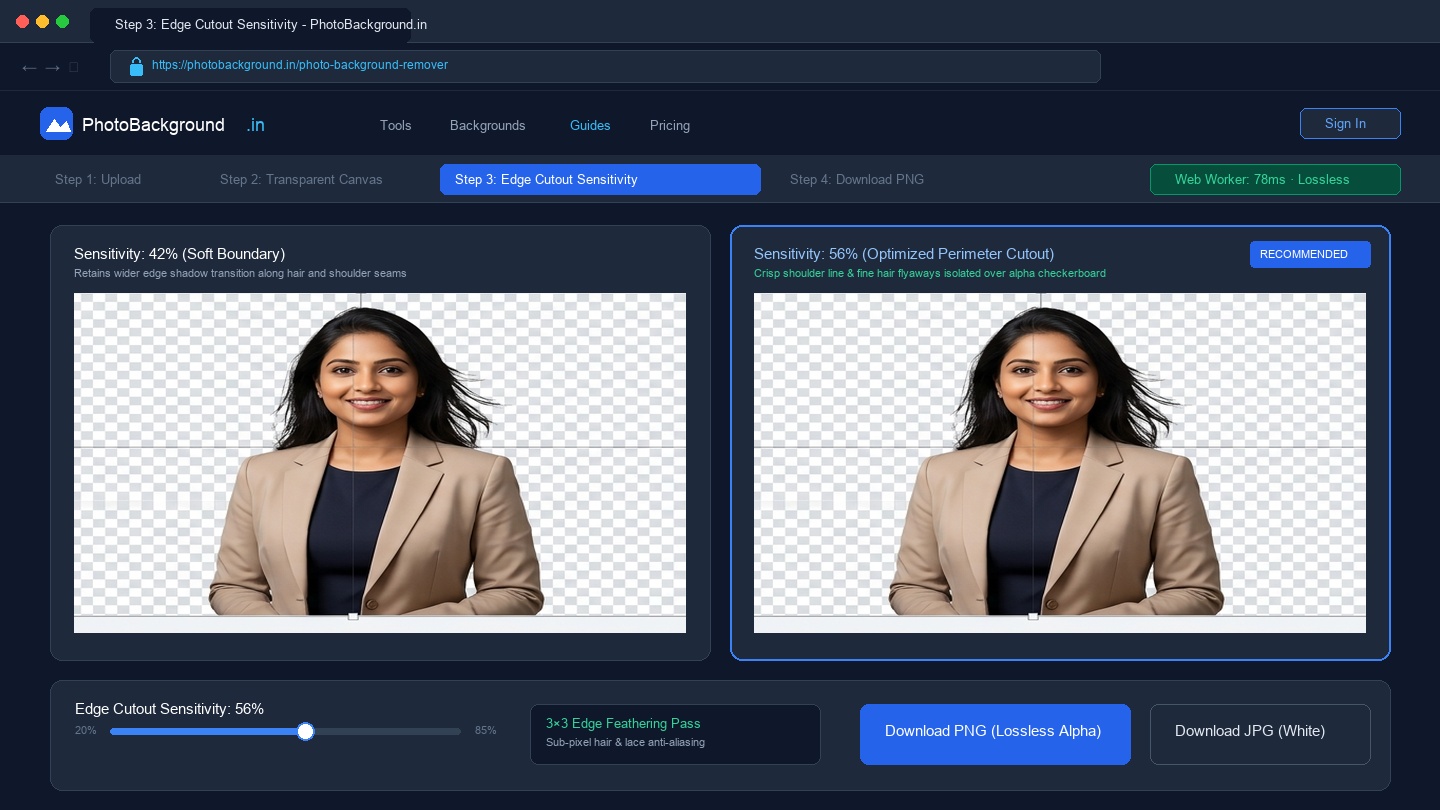
Figure 2: Hair and shoulder mask inspection comparing Sensitivity 42% vs Sensitivity 56% over the alpha checkerboard.PhotoBackground.in - Step 4: Click Download PNG (Lossless)
Always choose the blue Download PNG (Lossless) button when exporting a transparent cutout. The file downloads immediately to your device with an intact 8-bit alpha channel.
How Lighting Contrast Before You Shoot Prevents Jagged Cutout Edges
If you are photographing a product, craft item, or portrait specifically to cut it out later, two minutes of setup saves twenty minutes of manual erasing:
- Avoid matching subject colour to wall colour: Do not photograph a white ceramic mug against a white lime-washed wall, or dark black hair against a dark brown wooden wardrobe. Hang a contrasting bedsheet or chart paper behind the item so the edge boundary has a strong luminance jump.
- Step one metre forward from the wall: Standing right against a wall casts a hard, dark drop-shadow next to your ears and shoulders that automated tools can mistake for part of your hair or collar.
Why Transparent PNGs Turn Black or White on WhatsApp (And How to Fix It)
A very common frustration in India happens when you export a clean transparent PNG, send it to a colleague or print shop over WhatsApp, and the recipient says the background turned pitch black. Here is why that happens and how to prevent it:
- Standard WhatsApp image sharing converts PNGs to JPGs: When you attach a photo using the standard Gallery icon in WhatsApp, the app compresses the image into a JPEG and discards the transparency layer, filling empty pixels (`RGB 0,0,0`) with solid black.
- The Fix — Send as a Document: In WhatsApp, tap the paperclip attachment icon, choose Document (not Gallery), and select your downloaded `.png` file. Sending as a Document transmits the exact uncompressed file with its transparent alpha channel untouched.
- Or place a studio backdrop behind it first: If the recipient only needs a finished portrait, drop your cutout onto a clean plate from our Photo Studio Backgrounds collection before sharing.
Frequently Asked Questions About Removing Photo Backgrounds (अक्सर पूछे जाने वाले सवाल)
Why does my transparent cutout show a checkerboard pattern inside the browser preview?
The grey-and-white checkerboard is the universal graphics standard indicating empty alpha pixels (0% opacity). The checkerboard is never saved into your downloaded file; when you place the exported PNG over a slide, website, or background plate, those areas are completely see-through.
Can I save a transparent background photo as a JPG file?
No. The JPEG standard supports only three colour channels (Red, Green, and Blue) and has no fourth Alpha channel for transparency. If you need a see-through cutout, always click Download PNG (Lossless). If you click Download JPG in our tool while on the Transparent tab, we automatically fill the background with pure white (#FFFFFF) so your cutout never turns black.
How do I remove the background from a product photo that has a glass bottle or transparent plastic box?
Automated segmentation separates opaque surfaces cleanly, but clear glass and semi-transparent plastic refract the wall behind them. Shoot glassware against a pure white card from the start so you do not need to cut out the transparent body.
Does removing the background in your browser reduce image resolution?
Images up to 2048 pixels wide are exported at their exact original pixel dimensions. Photos larger than 2048 pixels on the longest side are scaled proportionally to 2048 pixels so mobile browsers do not crash during Web Worker inference.
Related Tools, Guides & Background Collections
Photo Background Remover Tool
Remove photo backgrounds and export lossless transparent PNGs in your browser.
How to Make a Photo Background Pure White
Step-by-step instructions for Indian passport, exam, and e-commerce white backgrounds.
HD Photo Backgrounds
20 high-density 1080p and 4K plates for layering behind transparent PNG cutouts.