How to Change the Background of a Photo Step by Step
स्टेप-बाय-स्टेप गाइड: फोटो का बैकग्राउंड कैसे बदलें (100% मुफ़्त व आसान)
To change the background of a photo cleanly, open your image in an in-browser segmentation tool, isolate the foreground person or product onto an alpha mask, and place a lighting-matched studio or outdoor backdrop layer underneath. The entire process takes under a minute in your browser and requires no desktop software or server uploads.
Numbered Steps to Replace a Photo Background in Your Browser
Whether you are updating a professional headshot, fixing a casual portrait taken in a cluttered room, or preparing a catalogue card, follow these four steps using our Photo Background Changer:
- Step 1: Choose a well-lit source photograph (JPG, PNG, or WebP)
Pick a photo where the subject's shoulders and hair have clear contrast against the room wall. Avoid photos with strong motion blur or extreme darkness. When you select your file in the tool, images wider than 2048 pixels are scaled automatically so mid-range phones never run out of memory.
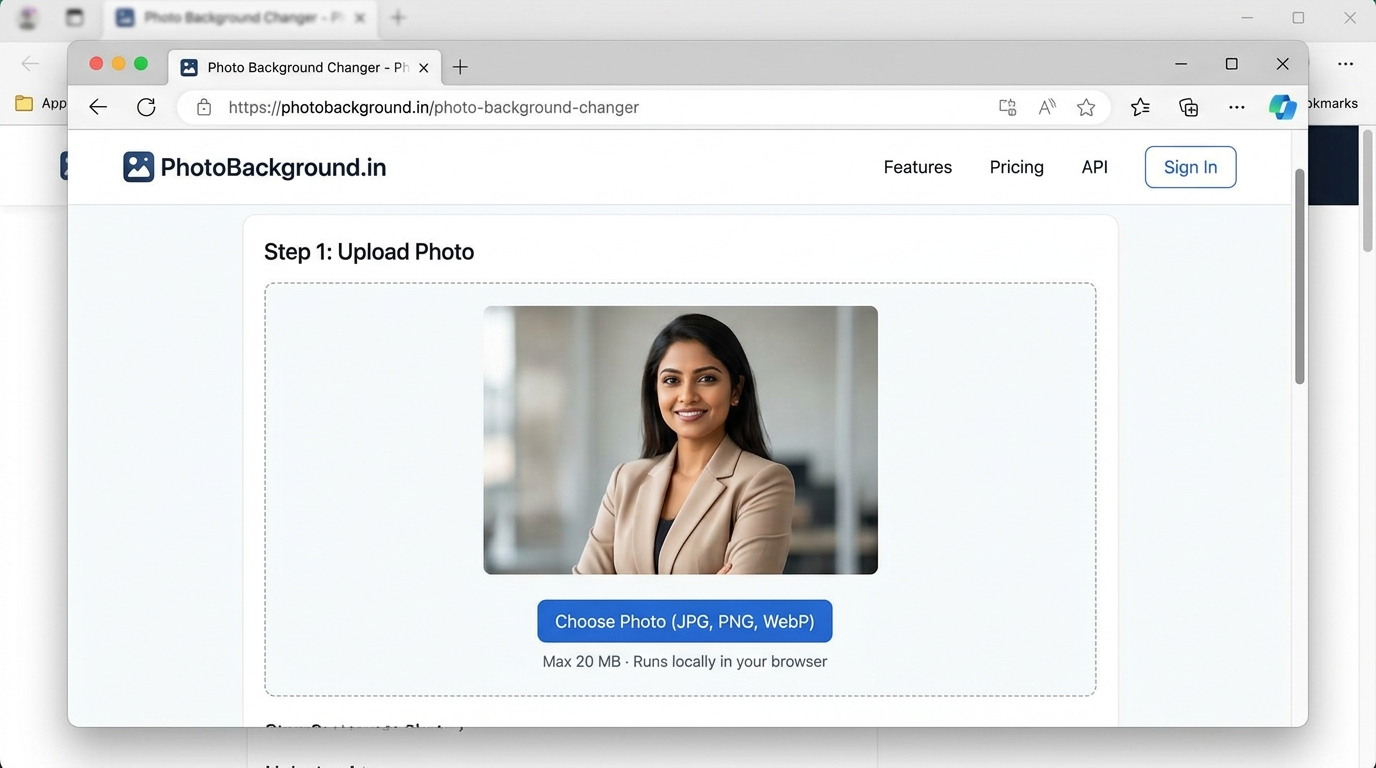
Figure 1: PhotoBackground.in upload selector with 20 MB limit and private in-browser processing. - Step 2: Let the Web Worker generate the foreground alpha mask
Once you select the file, our dedicated Web Worker samples the outer perimeter colours of your room and separates the foreground subject off the main thread. A 3×3 feather pass softens the transition along hair and shoulder seams so the cutout never looks jagged.
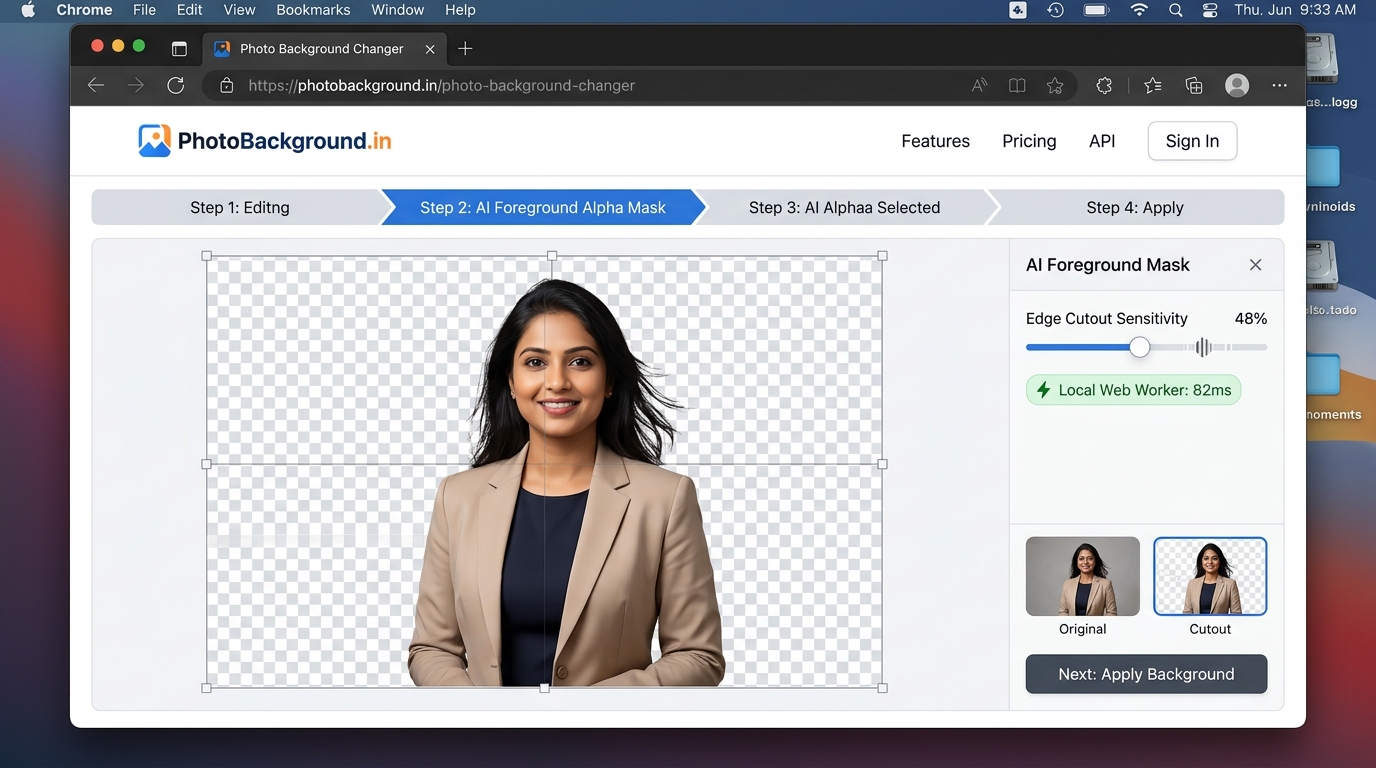
Figure 2: Edge detection sensitivity tuning and transparent alpha mask generated locally in 82ms. - Step 3: Select a studio scene, solid colour, or custom plate
Switch between the Studio Scene, Solid Colour, Pure White, or Blur tabs to preview different backdrops live. If you want to composite your subject into a full-resolution architectural archway, dusk terrace, or seamless studio roll in Picsart or Photoshop, export the cutout as a transparent PNG and pair it with a plate from our Photo Editing Backgrounds or Photo Studio Backgrounds collections.
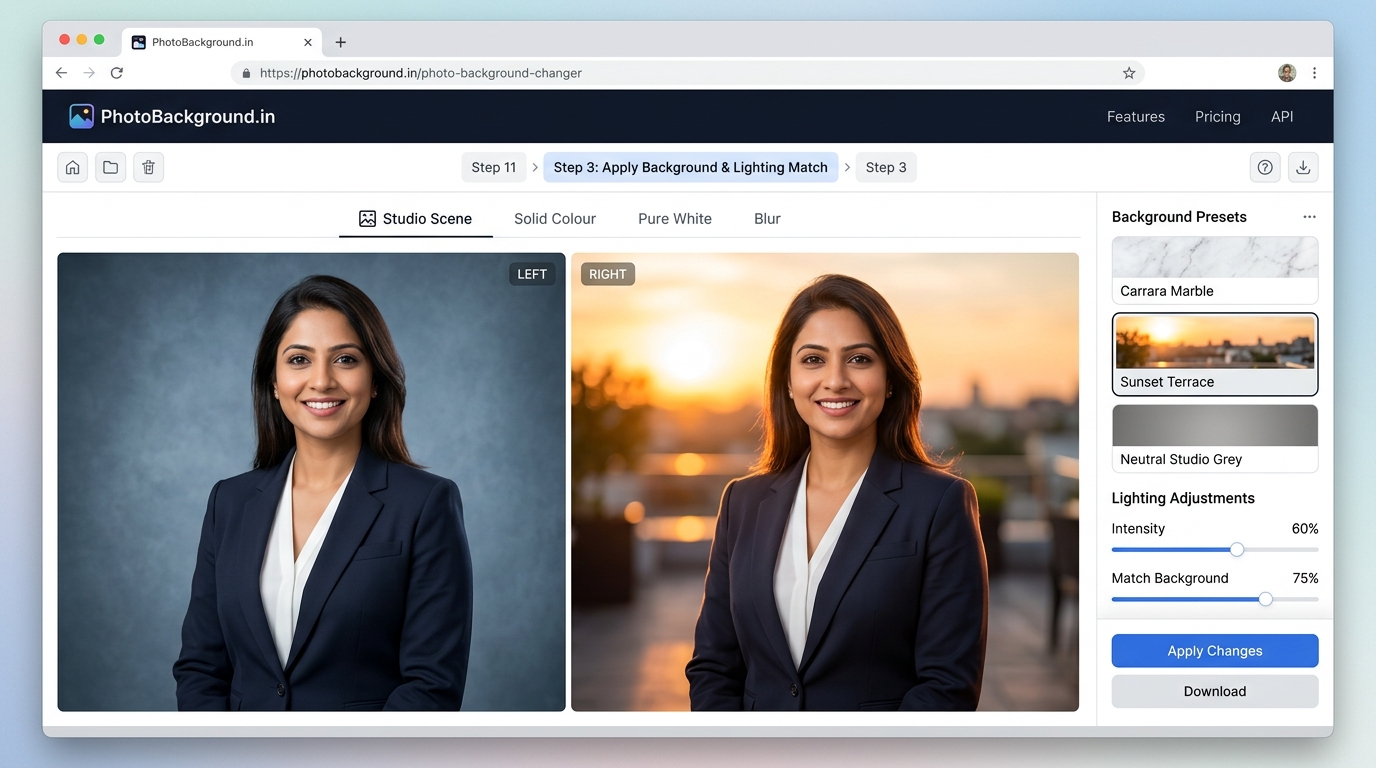
Figure 3: Side-by-side comparison between cool studio backdrop and warm sunset terrace lighting match. - Step 4: Inspect edges at 100% and download
Click Compare Original (Before) to verify that glasses, collars, and fingers were preserved accurately. Then click Download PNG (Lossless) for maximum quality or Download JPG (Form Ready) for smaller file sizes.
How to Edit Background of Photo for Natural Lighting and Horizon Alignment
Cutting out the person is only half of a convincing background edit. Even a pixel-accurate mask will look artificial if you ignore three optical cues:
- Key-light direction: Check which side of the nose casts a shadow. If the original window was on the left side of the camera, pick a replacement background where the sunlight or studio softbox also enters from the left.
- Colour temperature (Kelvin): Indoor Indian homes lit by cool white LED batten lights sit around 6500K, whereas sunset nature scenes sit around 3500K. When placing a cool indoor portrait onto a warm sunset backdrop, warm the portrait's mid-tones slightly so the skin does not look blue.
- Scale and depth of field: If your portrait was taken two feet from the phone camera, background buildings or trees behind the person must be softly out of focus.
Troubleshooting Hair Halos, Glasses, and Colour Spill
Problem 1: A bright white rim appears around dark hair on a dark background
Fix: This happens when the original photo was taken against a bright wall and light wrapped around the outer hair strands. Increase the Edge Cutout Sensitivity slider by 5–8 points, or choose a mid-tone grey vignette instead of pitch black.
Problem 2: Part of a white shirt or collar disappears into the background
Fix: When clothing matches the wall colour, lower the sensitivity slider so the mask becomes more conservative. If you specifically need a pure `#FFFFFF` canvas for an exam form or passport, follow our dedicated guide on how to make a photo background pure white.
Problem 3: The original wall still shows inside eyeglass lenses
Fix: Automated tools keep the interior of spectacle frames intact so the eyes are not erased. To avoid mismatched wall colour inside glasses, tilt your chin down slightly when taking the photo so the lenses reflect the floor rather than the bright window.
Related Tools, Collections, and Guides
Photo Background Changer Tool
Apply the steps from this guide right now in our free browser workspace.
How to Make a Photo Background Pure White
Special rules for white shirts, exam portals, and #FFFFFF product cards.
Photo Editing Backgrounds (20 HD Plates)
Download full-HD backgrounds with perspective floors and lighting notes.
Frequently Asked Questions About Changing Photo Backgrounds (अक्सर पूछे जाने वाले सवाल)
Why does my replaced photo background look pasted on or artificial?
Nine times out of ten, a composite looks pasted on because the lighting direction or camera horizon height of the new background conflicts with the portrait. Choose a background plate whose brightest light side matches the brighter cheek on your subject.
How do I match the horizon line when placing a full-body portrait into an outdoor background?
If the camera was held at chest height when shooting the person, the horizon line of the new background (where the floor or road meets distant trees or walls) should cross behind the subject between the waist and chest—never down at the ankles.
What is the easiest way to fix a thin bright halo around dark hair?
Inside our Photo Background Changer, nudge the Edge Cutout Sensitivity slider 5 points higher so the outer 1-pixel rim of wall light is excluded from the foreground mask.
Should I adjust brightness and warmth before or after changing the background?
Always remove and replace the background first, then adjust warmth or brightness once you can see your cutout sitting directly against the new backdrop.
Can I change the background of a group photo with two or three people?
Yes, provided all subjects stand at roughly the same distance from the camera and have clear colour separation from the wall behind them.