Updated: 17 October 2026 · 7 min read
How to Change the Background Color of a Photo Cleanly
ट्यूटोरियल: फोटो का बैकग्राउंड कलर कैसे बदलें (नीला, ग्रे व अन्य रंग)
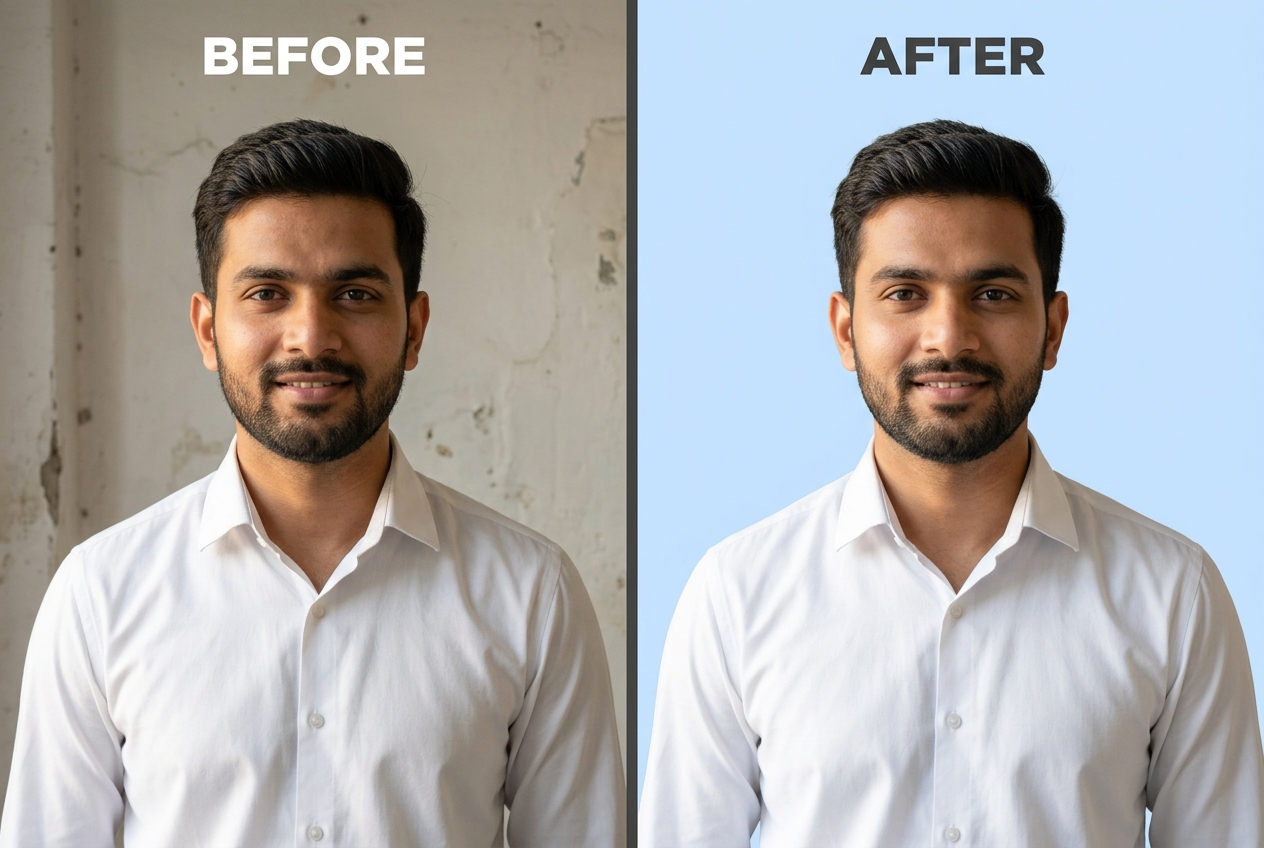
Swapping a cluttered wall for a solid colour—whether passport sky-blue, corporate slate grey, academic maroon, or a pastel D2C brand swatch—sounds like the simplest edit in photography. Yet anyone who has used a basic paint-bucket tool knows how quickly flat colour fills expose jagged hair halos. Here is how to change a photo's background colour while keeping edges natural.
Why Solid Colour Fills Expose Edge Halos Faster Than Textured Scenes
When you place a portrait cutout in front of a textured garden or bokeh backdrop, small variations in leaf and light patterns camouflage minor imperfections along the outer hair boundary. On a 100% flat solid-colour canvas, the human eye immediately notices any 1-pixel fringe left over from the original wall.
That fringe happens because outer hair strands and woven shirt collars are partially translucent—each edge pixel mixes the subject's colour with the original room wall. Choosing a replacement colour whose brightness sits reasonably close to your lighting environment—and fine-tuning edge sensitivity—eliminates that cutout sticker look.
Step-by-Step: Swapping a Photo Background to Any Solid Hex Colour
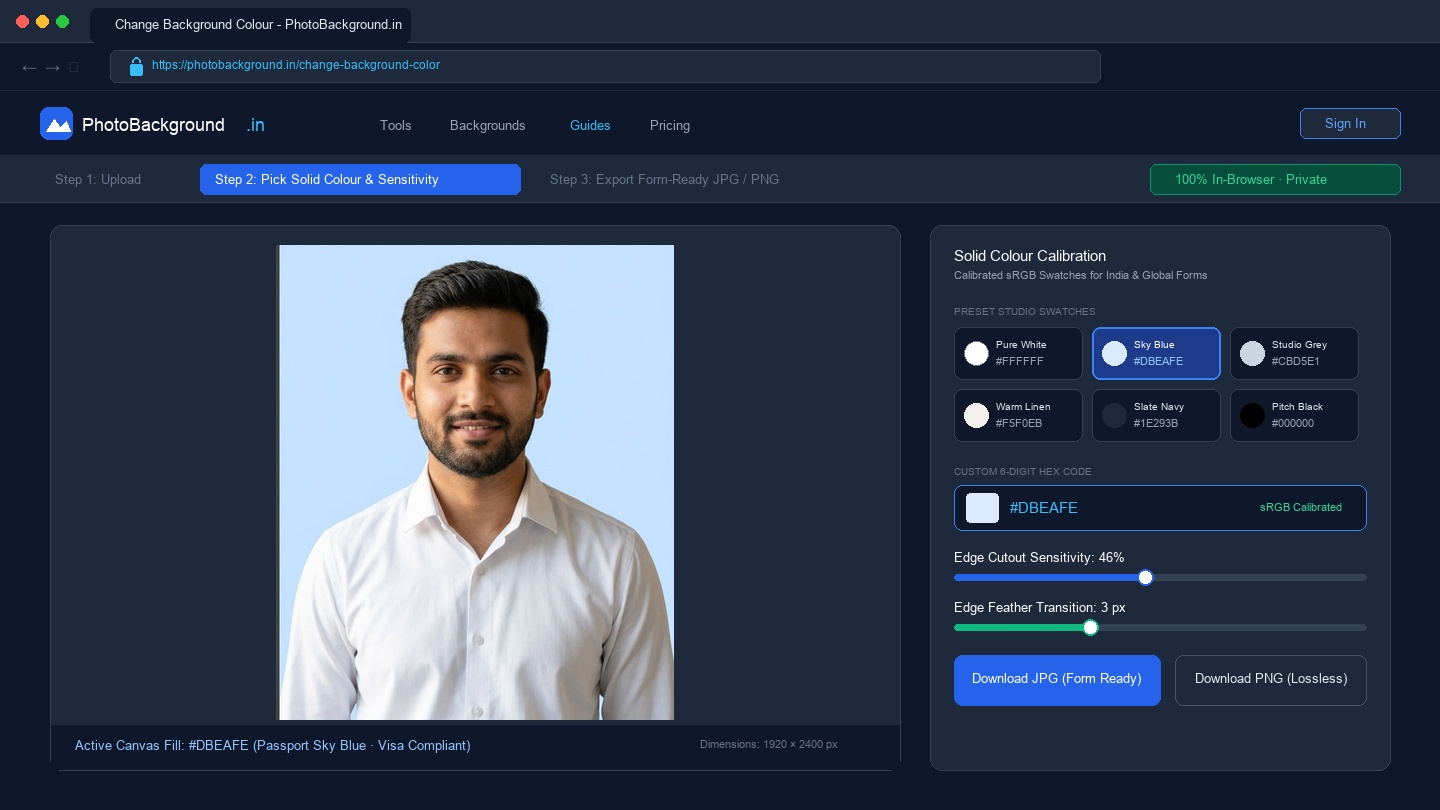
- Open the solid colour workspace: Launch our Change Background Colour tool in your mobile or desktop browser and select your JPG, PNG, or WebP photograph.
- Pick a calibrated swatch or enter a hex code: Choose one of the built-in presets (Pure White, Passport Light Blue, Studio Neutral Grey, Executive Charcoal, Pitch Black, or Warm Sand) or pick any custom 6-digit hex code in the colour picker.
- Inspect the hair-to-background transition: Use the Edge Cutout Sensitivity slider while toggling Compare Original (Before). If you switched from a bright white wall to a dark navy or charcoal fill, slightly tighten the threshold so bright wall pixels do not cling to the hair tips.
- Export in the right format: Save as PNG (Lossless) for graphic design and catalogue cards, or JPG (Form Ready) for visa and ID portals.
Recommended Hex Codes for ID Cards, Corporate Headshots & D2C Catalogues
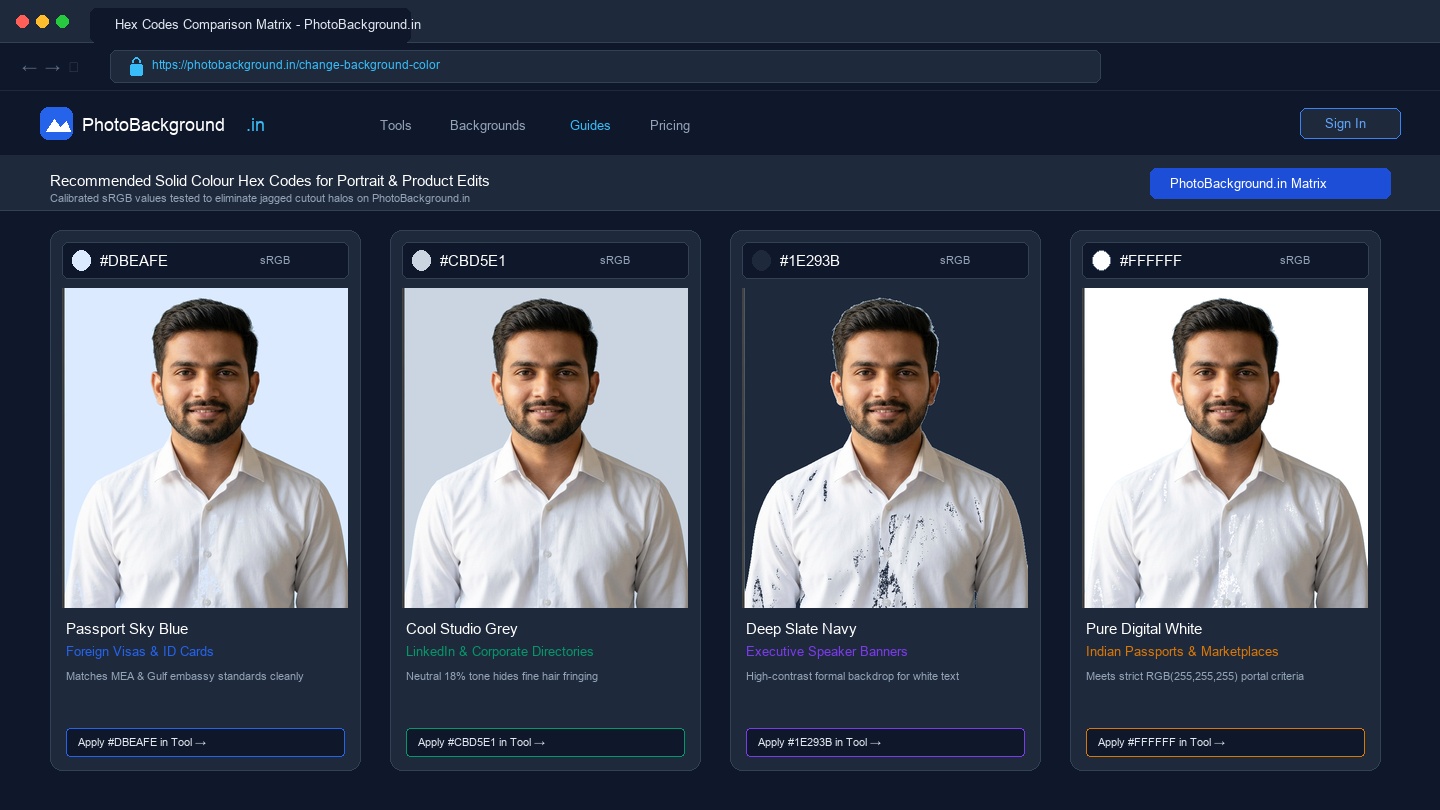
Instead of guessing from a rainbow colour wheel, start with these studio-tested sRGB hex values:
| Use Case | Colour Name | Hex Code | Why It Works |
|---|---|---|---|
| Indian Passports & Marketplaces | Pure Digital White | #FFFFFF | Meets strict RGB(255,255,255) automated portal checks |
| Foreign Visas & School IDs | Passport Sky Blue | #DBEAFE | Separates both dark hair and white shirt collars cleanly |
| LinkedIn & Company Directories | Cool Studio Grey | #CBD5E1 | Neutral 18%-style luminance hides minor hair-edge fringing |
| Ethnic Apparel & Jewellery | Warm Linen Ivory | #F5F0EB | Prevents gold zari and brass craft items from looking cold |
| Executive Speaker Banners | Deep Slate Navy | #1E293B | High contrast for white event typography next to the portrait |
If you specifically need a pure #FFFFFF background for an Indian exam or Amazon listing, read our sibling guide on how to make a photo background pure white. You can also download ready-made high-resolution colour cards from our Plain Photo Backgrounds and Photo Studio Backgrounds collections.
How to Prevent Neon Colour Spill When Choosing Bold Backdrops
When designing YouTube thumbnails or festive retail posters, you might want a bold mustard yellow, crimson, or cobalt background. Never pick a 100%-saturated neon colour from the top-right corner of the HSV picker (such as pure #FF0000 or #00FF00). Fully saturated primaries cause JPEG compression blocks around cheekbones and make skin tones look unnatural. Instead, reduce saturation by 15%–25% so the colour looks like lit studio seamless paper rather than a glowing computer monitor.
Related Tools, Collections, and Guides
Change Background Colour Tool
Apply calibrated white, passport blue, neutral grey, or custom hex codes in your browser.
Plain Photo Backgrounds (20 HD Plates)
Download 20 solid matte and pastel paper sweeps with zero spotlight rings.
How to Make a Photo Background Pure White
Focused guide on #FFFFFF white backgrounds for Indian ID forms and marketplaces.
Frequently Asked Questions About Changing Background Color (अक्सर पूछे जाने वाले सवाल)
Why do hair edges look cleaner on a neutral grey or pastel background than on bright red?
Fine outer hair strands are semi-transparent and carry a small percentage of the original room brightness. When placed against a mid-tone neutral grey (#CBD5E1) or soft pastel, that luminance blends naturally. Against a neon red or electric green fill, any brightness mismatch creates a visible halo.
What hex colour should I use for a Gulf or foreign visa photo that requires a blue background?
Most consulates and medical/engineering licensing boards that request a light-blue backdrop expect a pale pastel sky-blue such as #DBEAFE or #D0E8FF rather than a dark royal blue, so facial contours and dark hair remain clearly visible.
How do D2C brands keep background colours consistent across an entire product catalogue?
Pick a single 6-digit hex code—such as warm linen ivory (#F5F0EB) for ethnic apparel or cool mist (#F1F5F9) for electronics—and paste that exact hex string into the custom colour picker for every SKU rather than dragging a freehand colour wheel by eye.
Should I export a solid-colour portrait as PNG or JPG?
Export as PNG (Lossless) if you plan to add text overlays or badges in Canva or Figma, as PNG prevents JPEG chroma-subsampling blocks along flat colour boundaries. Export as JPG (Form Ready) when uploading to portals with strict kilobyte limits.